The brain, your server
The micro-server with the models, your company's memory and your agents. In your office or at home, with no third-party cloud.
From €4,000 + VAT
A micro-server in your office with the models, your documents and your agents inside. You buy it once and it is yours: no per-user fee, no tokens, no subscription. It processes invoices, searches your documents and prepares reports with your own files and tools.
↓ Download the free guide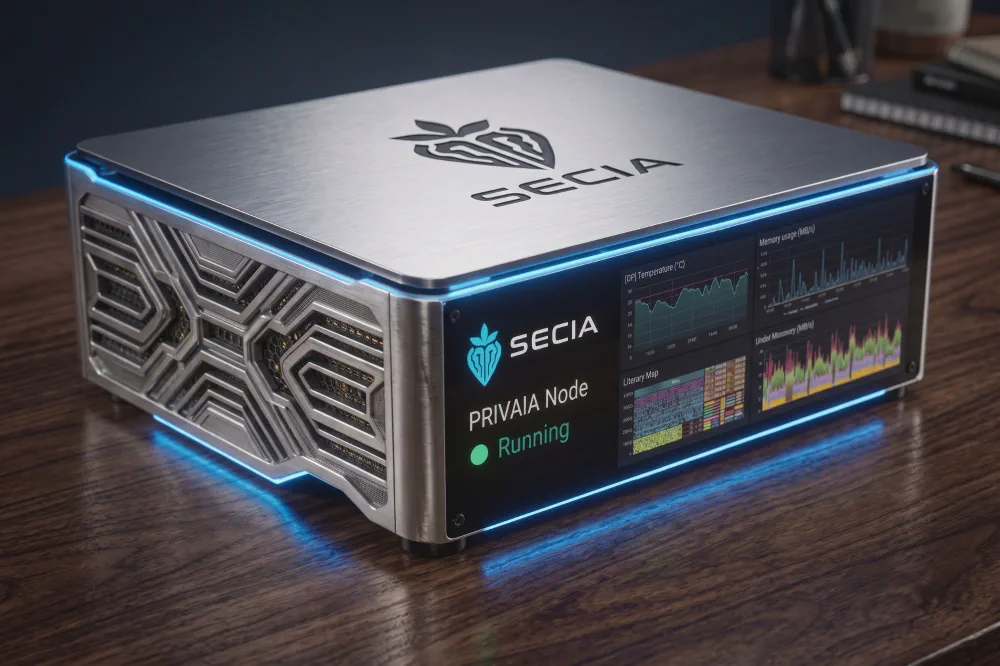
With mi own privateIA, Can I design anatomic bomb? Yes Next ! There is no rules in our IA!
Yes the typo in in purpose, a privateIA Privaia does not hold rules or policy you can design whatever you want at your own risk including automatic 24h your own life.
One request sets
the whole process in motion.Illustration using example data
A micro-server you own, open AI models running in your office and your first workflow up and running. The quote fixes the hardware, the workflow and the connections. Your documents, your instructions and your agents stay inside it.
The six problems of cloud AI, explained →
From €4,000 + VAT. No subscription, no per-user or per-token fee. You pay for support only when you ask for it.
Your data never leaves the machine. Only the integrations you switch on (email, WhatsApp, ERP) go through the door, and every one of them is logged.
The model learns your terminology, your procedures and your people. That context is yours alone. The AI prepares, a person approves.
Automations built on your server and your tools, not generic skills that change without notice. You choose which steps get automated.
A quiet, low-power micro-server on your network, running on your electricity. Power it with green or solar energy if you like.
The brain lives on your server and remembers what you allow it to: your documents, your procedures and how you like to work. The hands reach the laptops, desktops and phones you already use, with nothing installed on them. OpenAI, Anthropic and other AI SaaS providers do not need to receive your company's data.
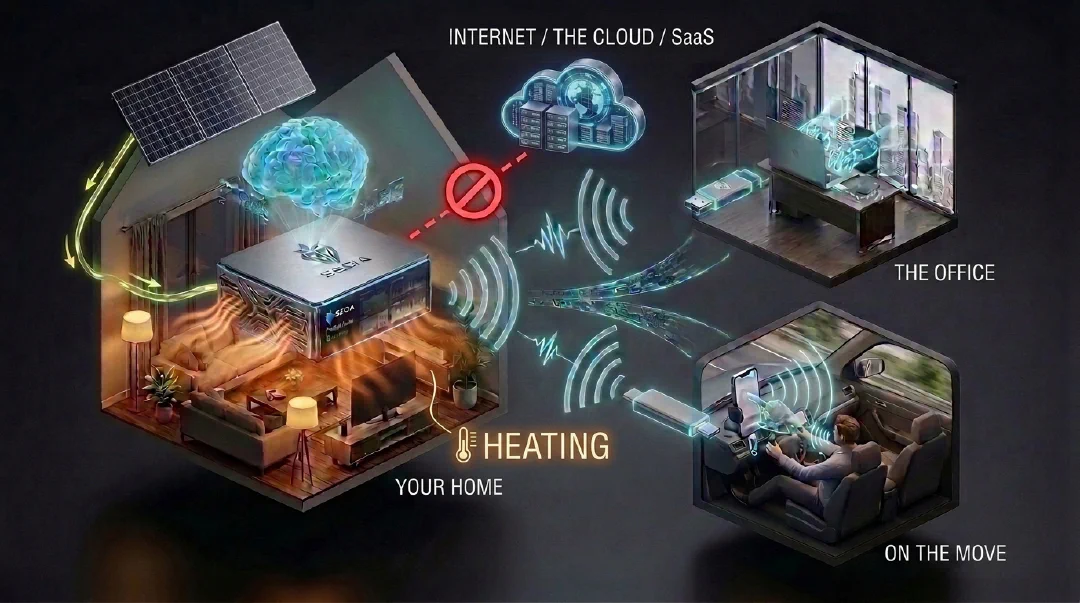
The micro-server with the models, your company's memory and your agents. In your office or at home, with no third-party cloud.
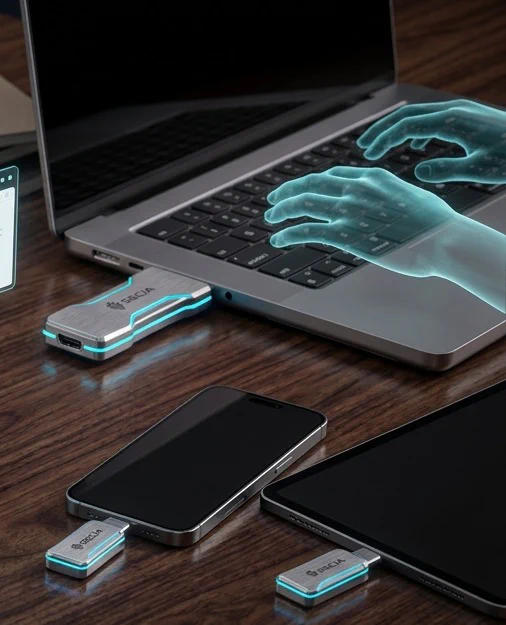
It plugs into a laptop or desktop through HDMI and USB, and into phones and tablets with video output through USB-C. It sees the screen, types and clicks like a person. Works with Windows, macOS and Linux with no software to install.
Give the order by speaking, with a photo or from the browser. From the car, hands-free. The work gets done at the office and you check it on screen.
One brain drives several hands at once. Anything that sends, pays or publishes waits for your approval.
The hands are PRIVAIA's own two-board device. Plug it in and your AI sees the screen, types and clicks. The computer only sees a screen, a keyboard and a mouse: nothing is installed.
It observes how a person works, learns the steps and replicates the activity on its own. It keeps going even if the link to the brain drops.
HDMI gives it eyes on the screen. USB gives it fingers: keyboard and mouse.
Windows, macOS, Linux, phones and tablets. Old programs and web portals, no API needed.
They talk, but can't touch your programs. Someone still does the clicking.
They work inside their own cloud or an installed program. Your screens go to their servers.
They work on your real machines through hardware. Nothing installed, your private brain, many at once and with your approval.
Prototype working
Six moments of a PRIVAIA hand: it plugs in, observes, learns and replicates, coordinates with the brain, copes without a connection and works while you are away.


The computer only sees a screen, a keyboard and a mouse. Nothing is installed.

The agentic board observes how you work, learns the steps and replicates the activity inside the hand itself.

Your private brain coordinates several hands at once over encrypted links.

If the link drops, the hand finishes the task and syncs when it is back.

Show it the task once and it repeats it on its own, on any machine.

In the morning, the work is done and anything pending waits for your approval.
The hands take the repetitive part of the job: copying data between applications, filling in the same forms, reconciling spreadsheets and filing invoices. Your people get time back for the work that matters.
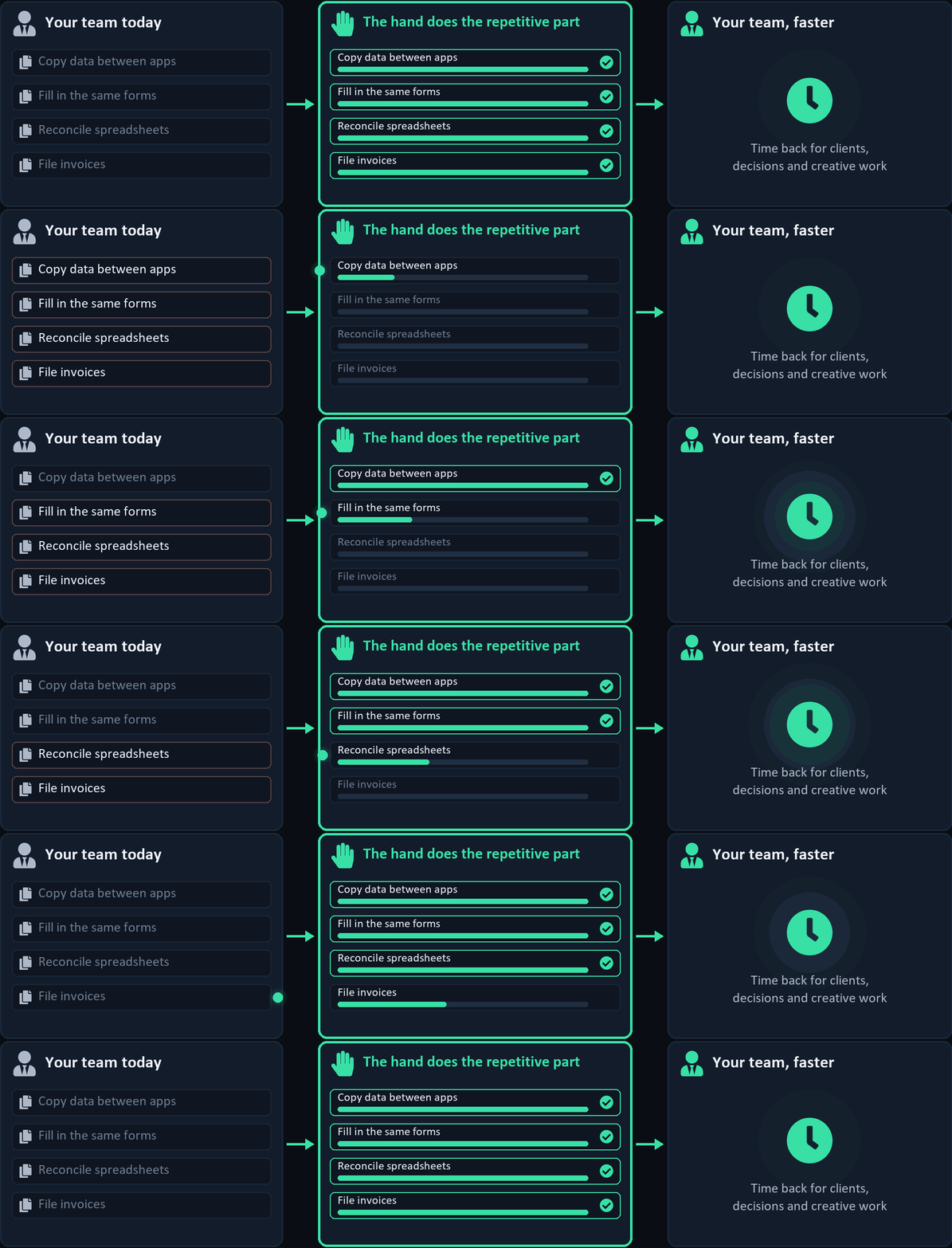

Repetitive tasks run in the background, even after hours.

Less copying and pasting. More time for the work they enjoy.

Your team focuses on clients, decisions and creative work.
You show it a task once, on screen. When you leave, PRIVAIA repeats it with the hands plugged into your machines and leaves the result ready for you to review. You can watch the screen live from your phone and stop it whenever you want.
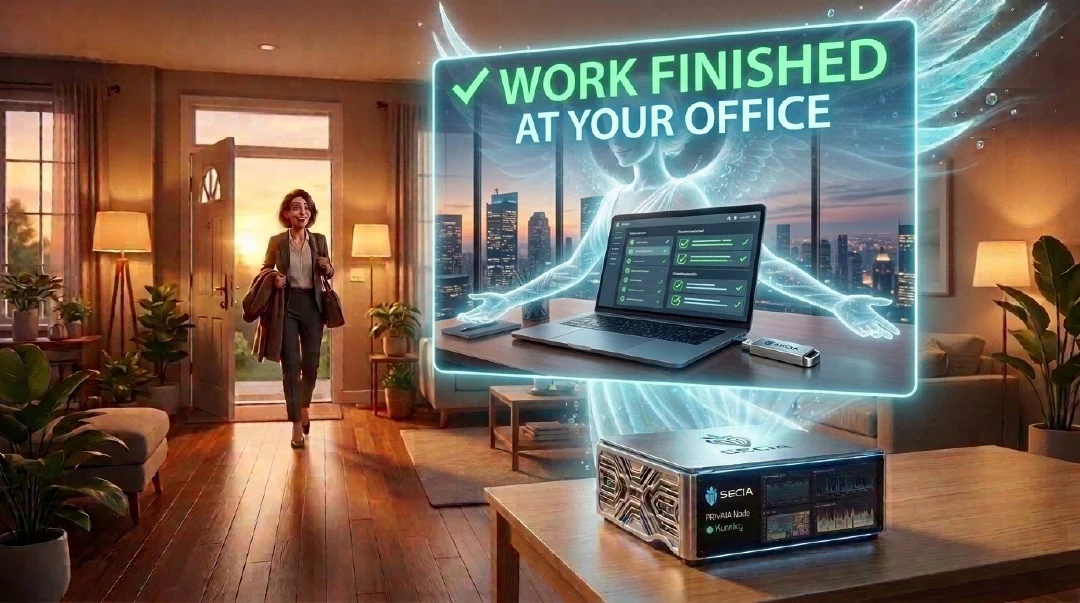
It watches how you do the task on your screen, only when you switch on learning mode. That is how it learns your steps in any program.
When you leave the office, the brain repeats your workflows through the hands. In the morning you have the result and a summary of what it did.
Several machines at once: in the office, on the factory floor or on your phone, all from the same brain.
You decide which tasks it can do on its own. Anything that sends, pays or publishes waits for your approval.
Four stages. From day one you know what hardware you are buying, what workflow is delivered and what it costs.
Together we pick a real task, its input files, the tools it needs and the result it has to deliver. We lock in hardware, scope, price and schedule.
We install the node on your network, configure models, company instructions and permissions, and leave the first workflow running.
We work with your people and your real data, refine the workflow and review the local logs. Extensions are quoted separately, no surprises.
We check the acceptance criteria and hand you the configuration and documentation. The hardware is yours. Support afterwards, only when you ask for it.
Every case ships with human review: the AI prepares, a person approves.
What we build for one customer (connectors, validation rules, tests and documentation) serves the next. Every installation starts where the last one ended.
An invoice reader extracts fields, checks amounts, spots exceptions and logs the processing. That foundation is reused in every new installation.
We adjust fields, accounting codes, permissions and the connection to your ERP. Your data and credentials stay in your installation; they are never transferred between customers.
Reusing components focuses the work on what is different in your company: fewer implementation hours and an entry price of €4,000 + VAT.
Repetitive processes that PRIVAIA's agentic AI does for you with your files and tools. What you have goes in, what you need comes out. You review the results and decide which actions it runs on its own.
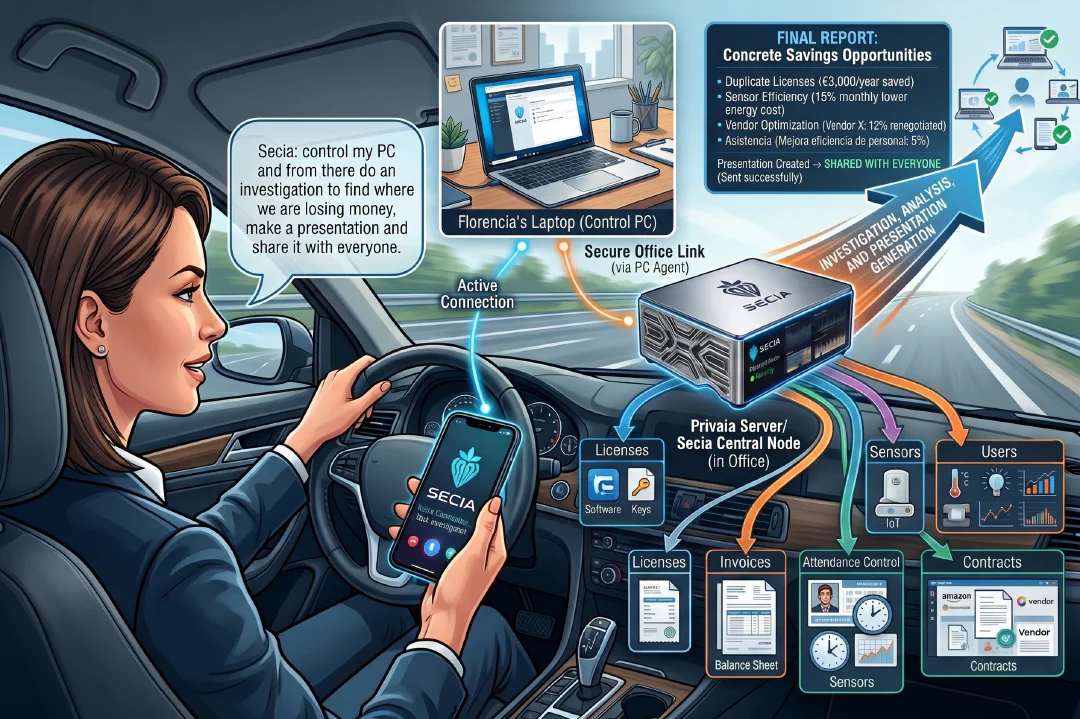
Real examples of what you tell your local AI and what it does. Sending, paying or publishing, only with your approval.
Call my sales rep and ask for the first-quarter sales figures, build me an Excel with margins by product and email it to my boss before nine.
Analyse the three competitors I told you about, make me a comparison Excel of prices and positioning, and send it to management with a five-line summary.
Log into the bank, download this month's transactions, reconcile them with my invoices and send me only the differences by WhatsApp.
Take yesterday's meeting minutes, extract the tasks, assign them by email to each owner and set me a reminder for Friday.
Talk to the supplier on WhatsApp, negotiate an eight per cent discount on the annual order and send me the agreement as a PDF.
Review my website, find the ten worst SEO problems, fix them and send me a before-and-after report.
Check my stock, cross it with the last ninety days of sales, place a restock order with the usual supplier and let me know on Telegram.
Download this month's invoices from my email, sort them by supplier, upload them to Drive and pass the summary to my accountant.
Call the five customers who are not paying, chase the debt in a firm but friendly tone and summarise their answers for me.
Go to the grants portal, check whether I qualify, fill in the application and send it to me to sign.
Take my expenses from the phone, build a ninety-day cash-flow forecast and email the chart to my business partner.
Listen to today's customer service calls, spot the three most frequent problems and propose solutions to operations.
Do me a market study of the sector, with size, competitors and prices, in PowerPoint, and send it to the committee.
Watch whether any competitor cuts prices by more than ten per cent, alert me on my phone and prepare a counter-offer ready to send.
Take this month's Google reviews, sort them by sentiment, reply to the negative ones and send me the report.
Meet my team by text, collect their progress, update the Gantt chart and send me the project status every morning.
Spot in my emails which customers are going cold, write to each of them personally and let me know if any of them reply.
Do me a quick due diligence on this company, financial, legal and market, in a one-page memo for investors.
From the phone, ask production for the figures, work out the real unit cost, compare it with the budget and alert management if the variance is over five per cent.
Go into my email, find customer X's contract, extract the renewal dates and remind me a month in advance by email and on my phone.
A compact, quiet machine built to sit in an office, not in a rack. The configuration is chosen around your documents, models, tools and users.
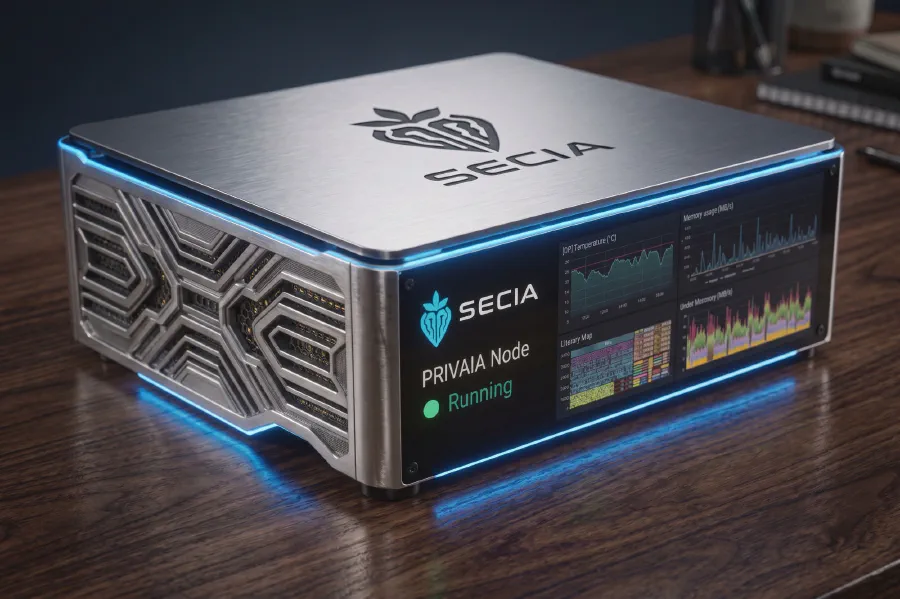
Comparable low-power machines cost 2.7 to 4.5 times more than one PRIVAIA node. Rack servers draw 2 to 5 kW: hundreds of euros a month in electricity alone. We choose the configuration with you by capacity, consumption, connections and continuity.
From €4,000 + VAT. You buy the hardware and setting up the first workflow is included. No fee per user, per token or per month. Support is optional, only when you ask for it. Prices exclude VAT.
The purchase covers what the accepted quote says: hardware, installation and the first workflow. We do not sell unlimited hours or the whole automation catalogue: every extension is agreed first and billed at €150/hour + VAT. There is never a bill you did not expect.
We compare what you pay today for SaaS AI (seats, API, Copilot) and the hours your people spend on Excel and documents against the price of the node and the tickets you use. With no monthly fee, every month of use is savings. We measure it in your company, with your invoices.
Nothing mandatory. What we deliver keeps running locally with no PRIVAIA subscription. These are the only costs there are, and you know them from the start.
You use the hardware and the installed workflows with no per-user or per-token fee. You pay for electricity, your network and the disk for backups.
Checking backups, reviewing the system and applying updates. You ask for it when your tools or requirements change, not on a calendar.
Support, new integrations and adaptations are agreed first and billed at €150/hour + VAT. No subscription.
If a workflow uses WhatsApp, email or a third-party API, the accounts and fees belong to that provider and are identified when the integration is defined.
With your data, not generic promises: we compare the work before and after the workflow.
Task volume, time spent, errors and what you pay today for tools and subscriptions.
Execution and review time, incidents, electricity and the workflow's external integrations.
Measured savings, freed-up capacity and estimates, kept separate and over equivalent periods.
The result is yours and is measured in your company. Estimates and measured results are presented separately.
We start with a real task and clear acceptance criteria, and test it with your users. We are launching pilots with companies in Seville, including the defence, drone and 3D design sectors. We will publish the results (hours saved, documents processed and cost replaced) as they close and their owners give us the go-ahead.
A micro-server you own with the first workflow running. The quote details hardware, installation, configuration, permissions, workflow and documentation. Extensions are quoted separately.
No. The server works on your local network. Internet is only needed for the integrations you switch on: email, WhatsApp, portals, APIs or remote access.
Open models that run on the server itself. We choose the size for your task and your number of nodes.
It comes down to the model, the documents and whether you run 1, 2 or 3 nodes. We size it for your case before handover.
Only if you allow it. By default, any action with an external effect needs a person's approval.
No. You buy the hardware and use it with no fee to PRIVAIA. You pay for electricity and, if you use them, external services. Support is billed per ticket at €150/hour + VAT.
When your tools or requirements change, or to check backups and apply updates. You ask for it; there are no mandatory visits.
Components are replaceable and backups restore onto another node. With 2 or 3 nodes you have redundancy. Warranty and spare parts are in the quote.
They are examples of what it does. The purchase includes the first workflow; every new workflow is agreed with a closed scope and price.
PRIVAIA's own two-board device. It plugs in through HDMI and USB (USB-C on phones and tablets) and lets your AI see the screen, type and click like a person.
No. The computer only sees a screen, a keyboard and a mouse. It works with Windows, macOS and Linux.
On phones and tablets with USB-C and video output. We confirm your model before you buy.
The hand's agentic board finishes the task on its own and syncs with the brain when the connection is back.
It only connects to the machines you and your IT lead authorise. The link to the brain is encrypted, you can watch the screen live and, if you unplug it, it stops. Anything that sends, pays or publishes waits for your approval.
Yes. It can sit in your office or at home. Company data stays under your control and the link to the hands is encrypted.
$200 per hand. One brain drives several, so you can add hands as you automate more machines.
Tell us about a specific task. We prepare a demo with your case and give you a quote, acceptance criteria and a schedule.
Tell us what task you want to automate and which tools you use. We reply within 1 or 2 working days with a demo prepared for your case.
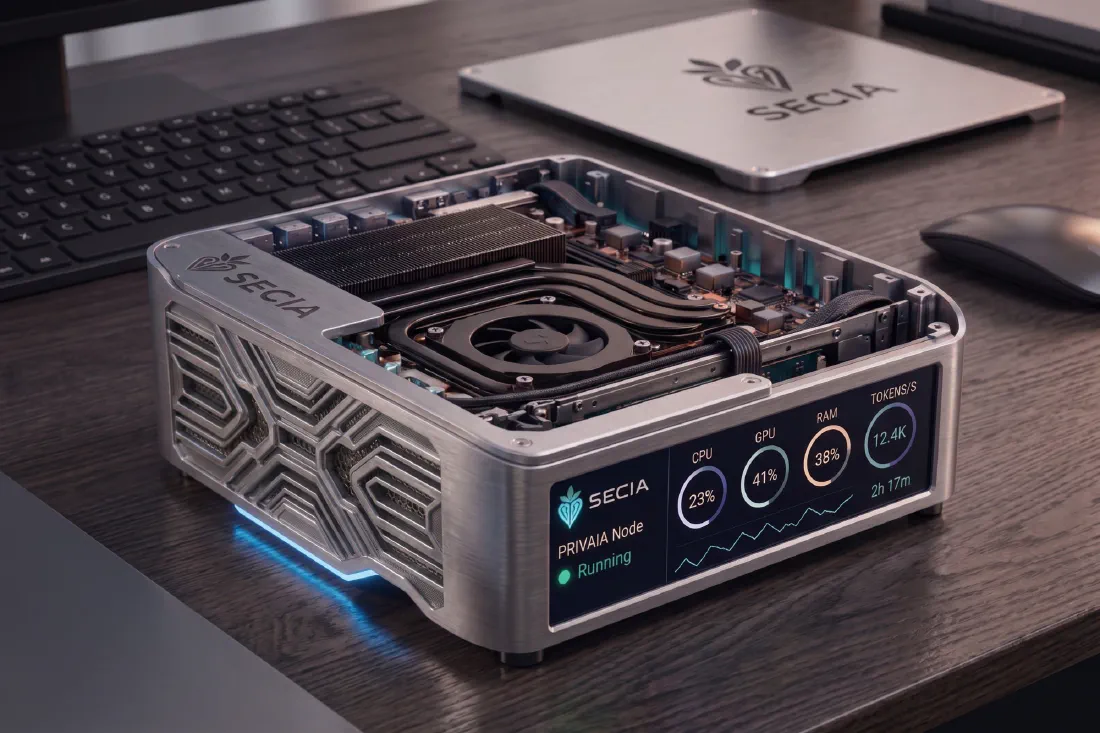
Own the infrastructure. Control the intelligence. Protect the knowledge.
From €4,000 + VAT. One node in your office, your data inside and no per-user cost. Tell us what work you want to automate and we tell you configuration, delivery and costs before we start.
Request a demo